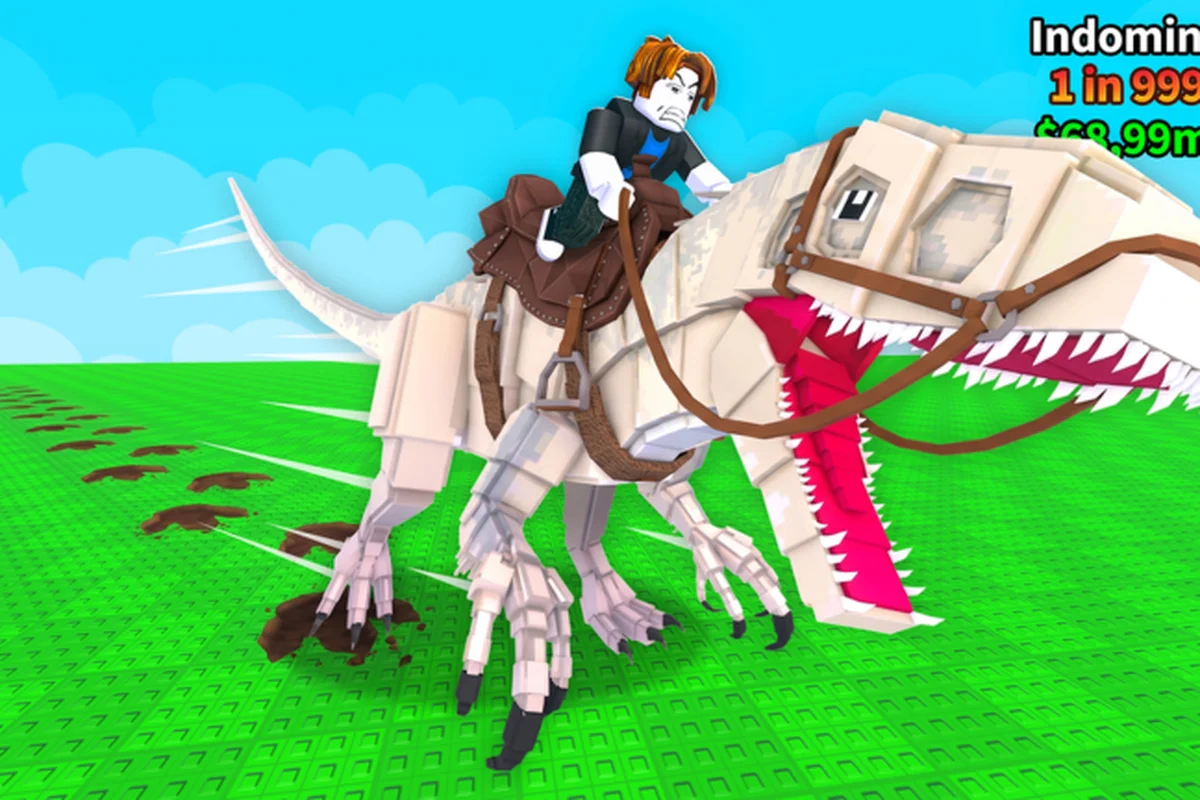
Ride a Dino drops you onto a wide Roblox map with one job: find hidden eggs, hatch them, and ride whatever comes out. Your first hour decides whether you spend the next ten hours grinding smart or wandering in circles. The Ride a Dino official Roblox page lays out the loop in five beats — explore, hatch, ride faster, mutate, collect — and every beginner decision you make in the opening session should serve that loop. This roadmap walks you through each beat in order, so the first thing you do, the second thing you do, and the tenth thing you do all build on each other instead of cancelling each other out.
Spawn, Spawn-Point Awareness, and Your First 60 Seconds
When you load into Ride a Dino, the server gives you a fresh avatar, zero dinosaurs, and no obvious UI prompt telling you what to do first. That silence is intentional — the developer group Dino Riders! wants you to learn by moving. Before you sprint off in a random direction, take ten seconds to read the screen, the surroundings, and the in-world markers. Most first-hour regret comes from players who run a full direction away from the nearest egg cluster in the first ten seconds and spend the next twenty minutes walking back.
What you actually see on spawn
-
A small on-screen radar or compass element (the exact icon shifts between updates; as of 2026-10-18 the game has not published a labeled screenshot legend).
-
One or more faint glow points in the environment — these are typically hidden Dino Eggs, the only documented collectible in the game.
-
Other players running in straight lines. Their direction is a free hint: where the crowd is heading, hidden eggs have already been found, so a quieter side of the map usually has fresher ones.
First-minute checklist
| Step | Action | Why it matters |
|---|---|---|
| 1 | Stop moving and face 360 degrees | Lets you spot the nearest egg glow before you commit to a direction |
| 2 | Note the in-game compass or marker | The map is large, so the compass prevents you from getting turned around |
| 3 | Pick a quadrant, not a dot | Run toward a region, not a single point — eggs are scattered in clusters |
| 4 | Avoid the crowd | Other spawners already know the easy eggs; the quieter the area, the higher your pickup rate |
| 5 | Watch for the radar ping if you own the pass | The Infinite Radar game pass is the only documented QoL purchase, and it points to the closest egg from anywhere on the map |
The Infinite Radar pass is sold by the developer group and described on the Dino Riders! community page as a radar you can use forever that always finds the nearest egg. It is optional, not required to progress — your first egg can absolutely be picked up by walking toward a visible glow with no pass equipped. Treat the pass as an unlock for later sessions, not a first-hour purchase.
Finding Your First Hidden Egg
Eggs are the only documented progression currency in Ride a Dino, and the official description of the experience treats the loop as explore → discover → hatch → ride. That makes the first egg the single highest-leverage object in your first hour. The map is large, the spawn point rotates, and no official egg location list is published, so the fastest way to your first egg is process, not memorization.
A repeatable egg-hunt routine
-
Walk a straight line away from the spawn plaza for 30 seconds.
-
Turn 90 degrees, walk another 30 seconds, and scan the horizon for any glow.
-
If you see a glow, close the distance in a straight line — the egg does not move, so zigzag paths waste time.
-
If you see no glow in 90 seconds, change quadrant. Most players report the four compass corners carry denser egg spawns than the center of the map.
-
The moment you pick up an egg, your inventory should hold it; do not drop it or trade it, because hatching is the only documented way to grow your roster.
Why the first egg changes everything
| Before the first egg | After the first egg |
|---|---|
| On foot, base walking speed | On a dinosaur, base riding speed |
| No mount to switch into | At least one mount to equip |
| No mutation or hatch options open | Hatch interface unlocked |
| Exploration radius is small | Exploration radius effectively doubles |
The jump in mobility is the entire reason the official description phrases the loop as "ride a swifter mount to open eggs tucked further out." A single dino, even a common one, multiplies what you can reach in the next ten minutes. If you want a deeper hatch-and-ride walkthrough that covers what happens after the first egg pops, the getting started guide goes step by step from the hatch screen to the open map.
Hatching the Egg and Unlocking Riding Controls
Hatching is the second beat of the official loop and the moment you actually answer the question of how to ride a dinosaur in this game. The hatch interface is intentionally minimal — pick the egg, confirm, watch the timer, and a new mount appears in your roster. The first hatch is the slowest because you do not yet know the menu layout, so expect to spend 30-60 seconds fumbling the first time.
What the hatch screen does
-
Shows your held eggs and any eggs other players have traded to you.
-
Lets you start a single hatch at a time, with no documented multi-hatch queue.
-
Produces a dinosaur with two traits you can see: a speed tier and a rarity tier. The game does not publish names for either tier, so the practical read is "fast" or "slow" and "common" or "rare" based on what the screen shows.
Reading your first hatch
| Hatch outcome | What to do with it | Reasoning |
|---|---|---|
| Fast, high-rarity | Equip immediately and ride | You have a top-tier mount on day one, no need to grind another egg first |
| Fast, low-rarity | Equip and ride, replace later | Speed matters more than rarity for the first hour, because the next eggs are time-gated by travel |
| Slow, high-rarity | Store in your collection | Rarity pays off later through mutation and collection bonuses, but a slow dino wastes minutes every trip |
| Slow, low-rarity | Park it and keep hunting | Use the slot for a better replacement — slow plus low-rarity compounds into lost time |
If you want a fuller read on which outcomes are worth riding immediately versus saving for a future mutation pass, the mutation guide breaks down how rarity and speed interact down the line.
Equipping Your Dinosaur and Learning the Ride Controls
Once a dinosaur exists in your roster, the next beginner question is how to equip it so the mount actually shows up under your character. The equip flow is short, but it has two failure modes that cost new players real time: equipping a dino you cannot see the icon for, and forgetting to re-equip after a server hop.
The equip flow in plain language
| Step | What you do | Common first-time mistake |
|---|---|---|
| 1 | Open the mount menu (button location shifts; check the on-screen prompts for the current input) | Closing the menu too fast before the dino is selected |
| 2 | Pick a dinosaur from your roster | Picking by picture instead of by speed, which gives you a worse mount than the one you intended |
| 3 | Confirm the selection | Walking away before the equip animation finishes, which can leave the previous mount visible |
| 4 | Press the ride input (default is a context-sensitive action key) | Trying to ride before the equip is committed — your character will simply stand beside the dino |
| 5 | If the dino does not respond, re-open the menu and reselect | Skipping this step and assuming the ride input is broken |
Re-equip after server hop
Roblox servers in Ride a Dino cap at six players, which means you will be server-hopping often. Your mount does not always persist across hops, and your equipment does not always persist either. The fix is mechanical: every time the world finishes loading after a hop, open the mount menu and re-select your highest-speed dino. Players who skip this step lose 30-90 seconds per hop realizing they are on foot again.
For more on switching mounts mid-session — including what to do when you hatch a faster dino than the one currently equipped — the switching dinosaurs guide lays out a clean mount-rotation flow.
Your First-Hour Progression Path
The first hour is short, but the decisions stack. Below is a single, opinionated progression path that turns the official five-beat loop into a concrete checklist. It is built around speed-first thinking because the official description explicitly states that riding faster dinos unlocks harder-to-find eggs — so your first hour should optimize for the moment you are on a fast mount, not for collecting more eggs at base speed.
| Time block | Goal | Action | Avoid |
|---|---|---|---|
| 0:00-0:02 | Read the screen | Look for radar, compass, and the nearest egg glow | Running blindly toward other players |
| 0:02-0:05 | First egg | Run to the nearest visible glow in a quiet quadrant | Doubling back to a crowded area |
| 0:05-0:08 | Hatch | Open the hatch menu, start the first hatch, read the result | Closing the menu before the result is shown |
| 0:08-0:10 | Equip and ride | Pick your fastest hatch, equip it, mount up | Re-rolling the hatch hoping for a better one — speed > rarity at hour one |
| 0:10-0:30 | Second egg | Use your new mount to reach a glow in a previously unreachable area | Riding in circles around spawn — the first mount unlocks new geography |
| 0:30-0:50 | Second hatch | Hatch the second egg and compare speed/rarity against mount one | Holding the second egg for a "perfect third" — every hatch is data |
| 0:50-1:00 | Re-equip and plan | Equip the faster of the two hatches and pick the next quadrant | Logging out without committing a long-term mount |
Why this beats the "grab every egg" approach
The grab-everything approach feels productive in the first ten minutes and falls apart by minute 30, because hatching eats time, slow dinos eat more time, and the inventory fills with dinos you never ride. The path above front-loads mobility so every minute after minute 10 happens on a faster mount than the minute before. By the end of the hour you have two data points (two hatches), a confirmed mount, and a known quadrant to start the second hour in — which is exactly what a what to focus on first guide asks of an early-game player.
Common First-Hour Mistakes to Avoid
Every Roblox tycoon-style game has the same early trap: a player tries to do every mechanic at once, learns none of them, and quits before the loop clicks. Ride a Dino is no exception, but its loop is unusually clean — explore, hatch, ride, mutate, collect — so the mistakes are predictable and avoidable.
Mistakes that actually cost time
| Mistake | Why it hurts | The clean fix |
|---|---|---|
| Re-rolling your first hatch | Each hatch consumes an egg; rerolling burns the highest-leverage first hour | Hatch once, equip the result, learn the loop, hatch again with the second egg |
| Saving every egg for a "perfect batch" | Eggs do not batch-hatch, and the inventory has no documented batch bonus | Hatch as you go, compare outcomes, build a small roster of 2-3 mounts |
| Riding a slow common dino because it is "cute" | Speed is the official loop's multiplier; slow mounts shrink the map you can reach | Bench slow commons; only ride the fastest dino you currently own |
| Skipping the radar-equipped compass | Without the compass, the second hour repeats the first hour's egg-hunt | Use visual landmarks as a manual compass until you buy or unlock the radar pass |
| Trading eggs with random players | The game has no documented trade safety; scammed eggs are gone | Keep your first ten eggs; only trade when the official trade system (when present) is being used |
A second-pass list, for players who already finished the first hour
-
Stop chasing every visible glow. Once you have two mounts, prioritize hidden egg clusters in the next quadrant.
-
Start a small collection of at least three dinos. Collection bonuses exist per the official description, but no numerical value is published, so the safe bet is variety.
-
Hold one egg un-hatched as a "wildcard" for when the next update lands. The game was last updated 2026-10-12 and updates are frequent enough that a held egg can become a different rarity pool overnight.
-
Keep your fastest dino equipped between sessions. Roblox servers do not always persist your last mount on rejoin, so the re-equip habit saves you a minute every login.
What the Game Has and Hasn't Published (a quick reality check)
Because Ride a Dino is a young title (it launched 2026-09-18 and was last updated 2026-10-12), a lot of beginner questions are still open. The official page lists the loop but does not publish dinosaur names, rarity tier names, mutation names, egg locations, hatch odds, or speed values. That gap is the reason this guide ranks hatches by speed and rarity in plain language rather than by named species — no species list exists, and inventing one would mix this game up with similarly-named Roblox experiences that publish very different rosters.
| Official fact | Status as of 2026-10-18 |
|---|---|
| Game passes documented | 1 — Infinite Radar (productId 3716208223) |
| Developer products documented | 0 |
| Badges documented | 0 |
| Redeem codes published | 0 — no code system is in place |
| Dinosaur species list published | No — only the generic "hidden eggs" loop is documented |
| Numeric speed or drop values | No — only "better speed" / "better rarity" wording |
| Server cap | 6 players |
| Platforms | Desktop, Console, Mobile, Tablet |
Treat every named species, named rarity, named mutation, or numbered stat you see on a third-party site as belonging to a different Roblox experience until the official page confirms it. That caution is what keeps a first-hour plan from steering you into a wall based on a stat that does not exist in this build.
Frequently Asked Questions
What should I do first in Ride a Dino before I have any dinosaurs?
Stop on spawn, scan the horizon for any faint glow, and run to the nearest egg in a quiet quadrant. Equipping a dino and riding is the official loop's multiplier, so the faster you reach your first egg, the faster your next ten minutes happen on a mount rather than on foot.
How do I ride a dinosaur after I hatch it?
Open the mount menu, select the newly-hatched dino, confirm the equip, then press the ride input to mount up. If the dino does not respond, re-open the menu and re-select — the most common first-time failure is closing the equip screen before the selection is committed.
How do I equip a dino if my mount menu shows nothing?
Your roster is empty until you hatch at least one egg. If you have hatched an egg and the menu is still empty, the most likely cause is a server hop that wiped your mount — re-open the menu, re-equip, and the dino should appear under your character again.
Is the Infinite Radar pass worth buying on day one?
Not in the first hour. The radar is a quality-of-life unlock that points to the nearest egg from anywhere, but your first egg is reachable by walking toward a visible glow. Save the pass for session two or three, when the easy eggs around spawn are already taken and you need faster navigation.
How long should my first session be?
Roughly an hour, ending with two hatches, a confirmed mount, and a known quadrant for the next session. The progression loop is front-loaded, so a focused first hour sets up the next three or four hours of cleaner egg-hunting instead of repeating the same spawn-area search.